
Established 2024
Software that finally
understands how a
madrasa is actually run.
Admissions, attendance, examinations, fees, certificates and identity — one considered product, shaped alongside the teachers and principals who actually run the institution.
An admin cockpit, not a form of paperwork.
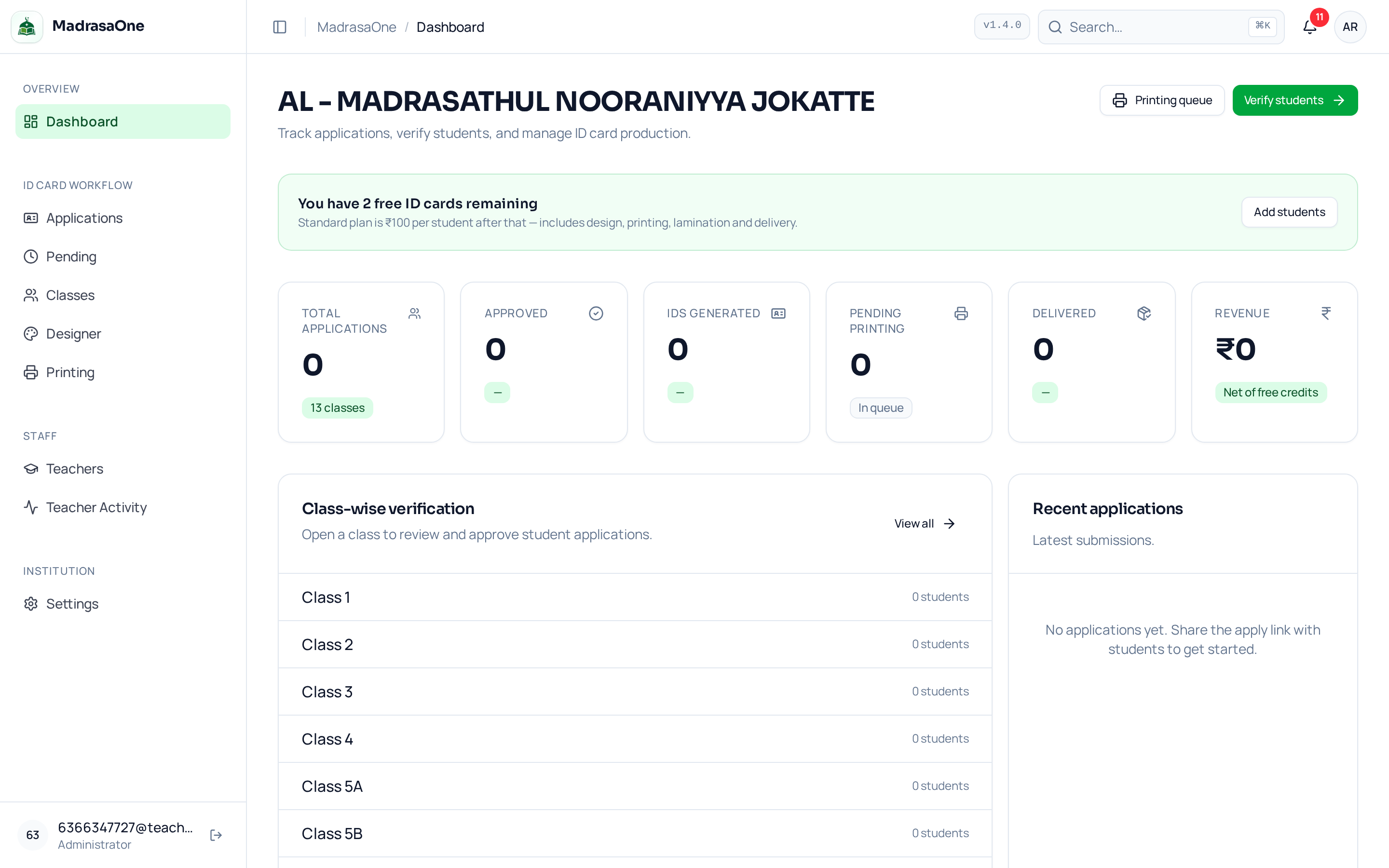
Most tools handed to madrasas are generic school ERPs bent sideways. We started by sitting with principals in Kerala and Karnataka, watching the actual rhythm of admissions, attendance, examinations and identity — and built a single quiet product around what they already do well.
Not an ERP
Every table, every screen and every default is shaped to the way a madrasa is run — from Ustadh's attendance register to the principal's evening report.
One product, one record
Admissions flow into class lists, into attendance, into examinations, into fees, into the ID card. No re-entry, no reconciliation, no spreadsheet exports.
In use
“For the first time, our office isn’t chasing paper the week before results. Attendance is closed by nine, the principal sees the day by five, and the parents know before we do.”
How an ID moves through MadrasaOne.
A single path from apply to hand-over. Every step has an owner, and every action leaves a signed trace.
- 01
Family applies
A parent opens the apply link on a phone. Five short steps: student, family, identification, photo, payment. The photo is face-detected and manually croppable.
- 02
Teacher verifies
The class teacher sees a queue of applications for their class only. They confirm the details against the register, correct spellings and approve.
- 03
Principal approves
Once a class is fully verified, the administrator sees the count, opens the printing queue and releases the batch — with a signed audit trail.
- 04
We print & deliver
Cards go to a professional printer, laminated, threaded with a lanyard, packed by class and shipped to the institution's door.
- 05
QR verified for life
Every card carries a QR that resolves to a signed institution page. Lost cards can be reprinted from the record — never re-typed.
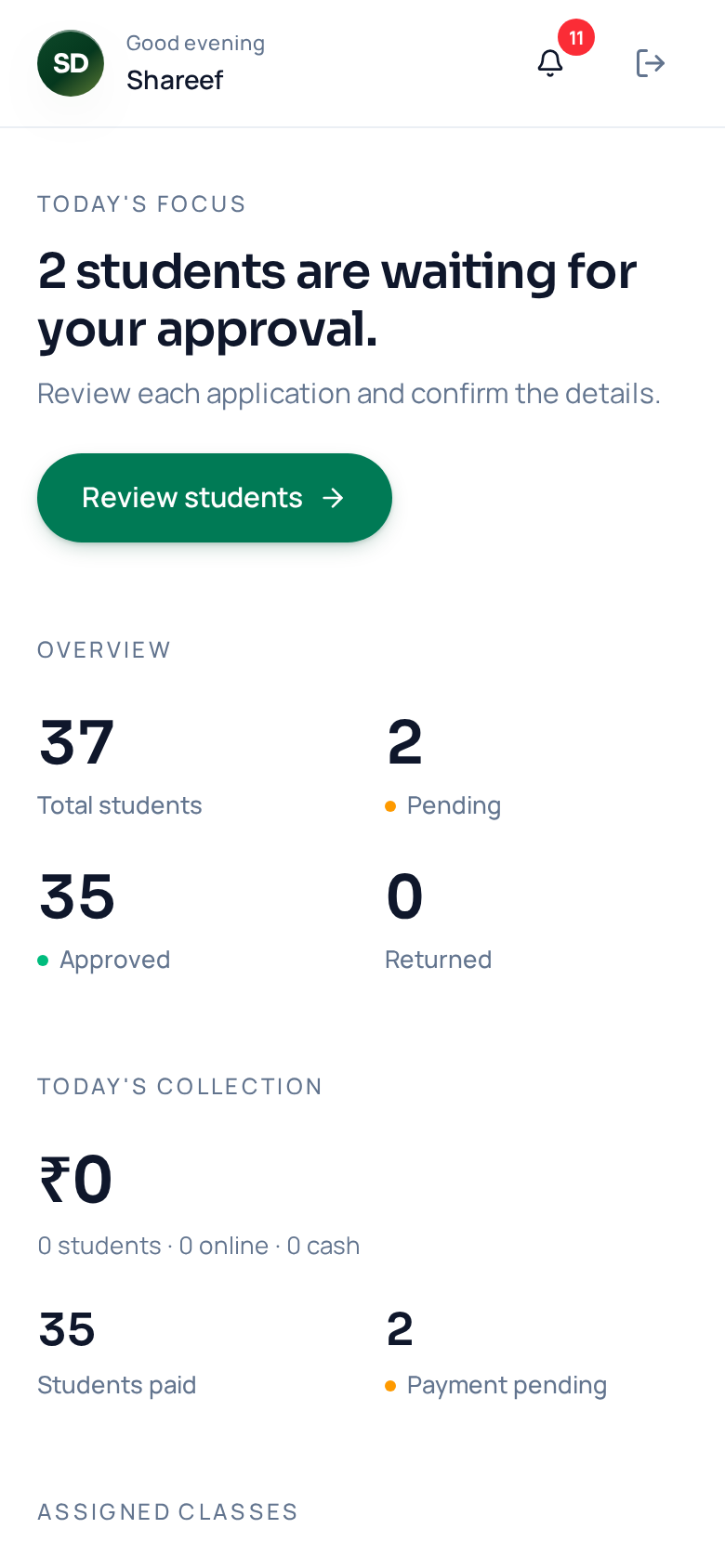
Built to be opened in the yard, not the office.
The teacher opens the app between prayers, on a phone she already owns. The home screen tells her exactly what needs her attention today — and nothing else. Attendance is three taps. Approvals are one.
- 20 sec
- To mark a full class
- 44 px
- Every touch target
- 0
- Manuals required
- Offline
- Works on the yard
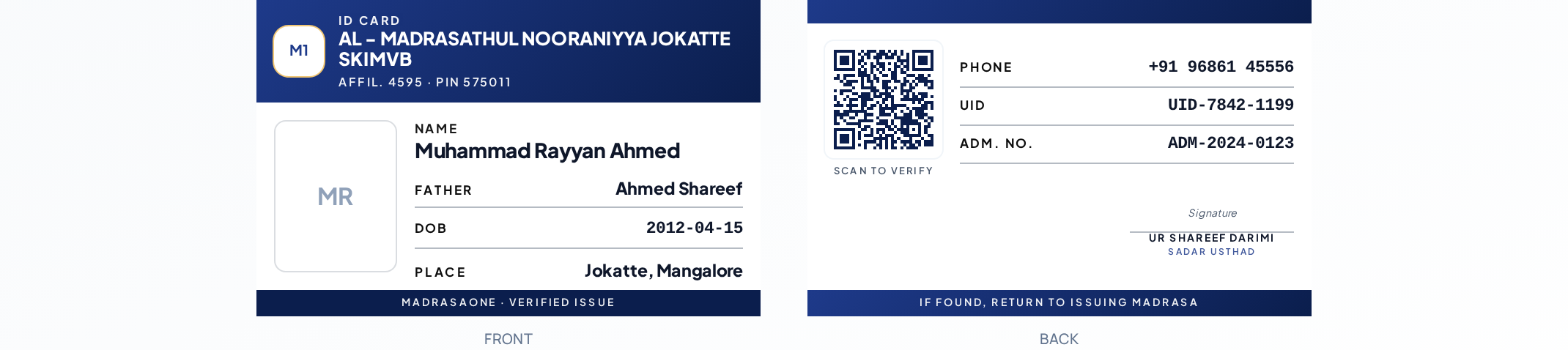
The card the institution hands the student.
Class-verified data, a QR that resolves to a signed institution page, premium print with lamination and a lanyard — delivered to the door.
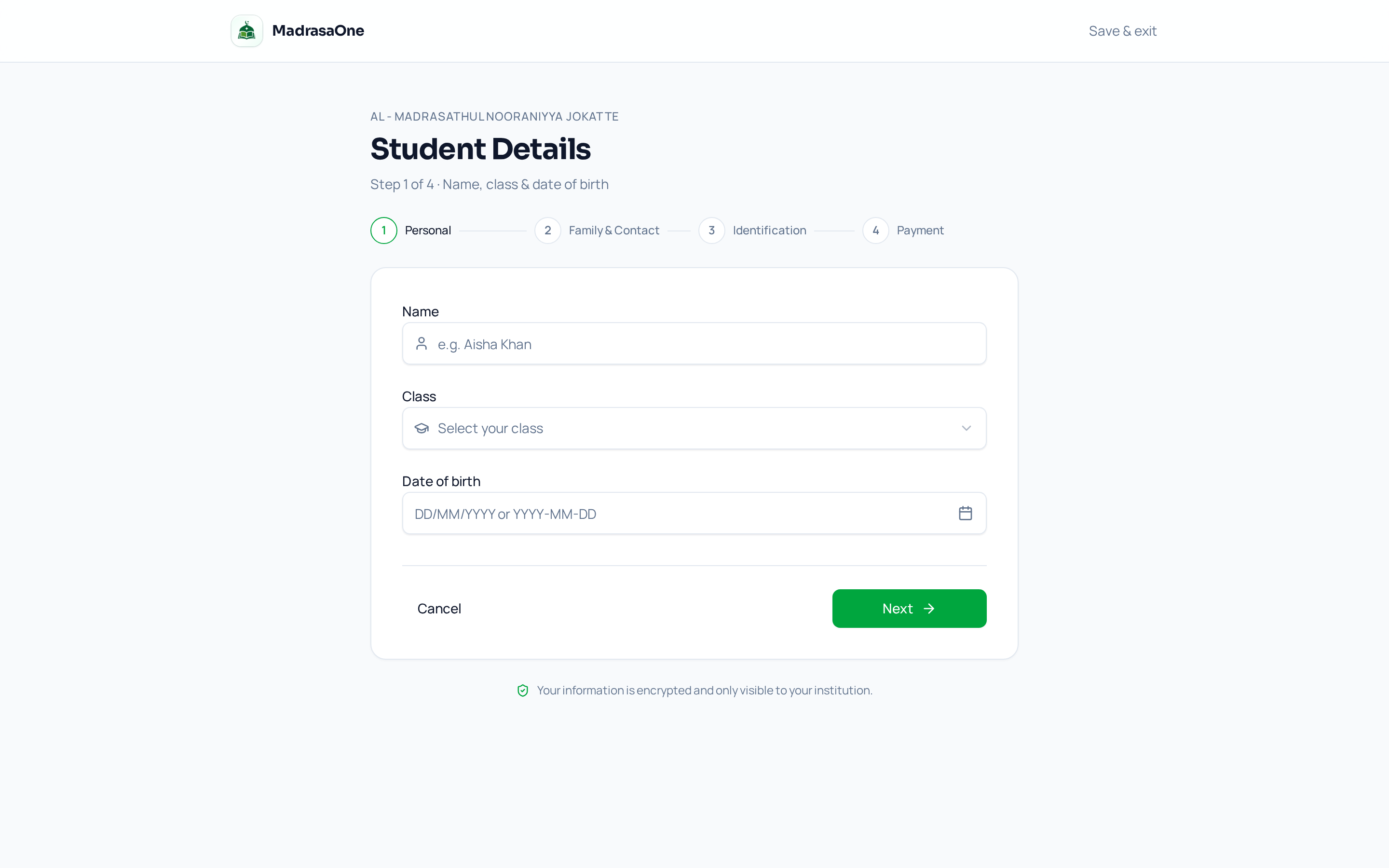
A form that respects the family.
Five short steps, autosaved, in the parent’s language. Trackable by a short application code — no account required. Teachers see a queue; families see a receipt.
- 120+
- Institutions live
- 18,412
- Students on record
- 94%
- Cards verified in class
- 99.98%
- Uptime · trailing 90 d
Student data is
treated the way you’d
want your own to be.
- Data isolation
- Every record is scoped to the institution that owns it at the database layer. No shared tables, no cross-tenant reads.
- Signed audit trail
- Approvals, edits and prints are stored with the identity of the acting user and an immutable timestamp.
- Verified identities
- Photos pass through automatic face detection before entering the print queue. Manual crop is always available.
- Encryption in transit and at rest
- TLS 1.3 end-to-end and AES-256 at rest across all Postgres storage.
- Backups & recovery
- Point-in-time recovery for the last 30 days. Institution-scoped restore on request.
- Data export
- One-click CSV export from every table. Signed PDFs for every ID card issued. Data belongs to the institution.
Things principals ask us first.
No. The Teacher Portal is designed to be usable on the first attempt, on any phone, without a manual. We onboard your first class together over a short call.
Yes. Every record is scoped by institution at the database layer, with row-level security policies. No shared tables, no cross-tenant reads. Backups are per-institution.
The first two student ID cards are free, always. After that, ₹100 per printed card — includes design, printing, lamination and delivery. Other modules are priced per active student per term.
Anytime. Every table has a one-click CSV export, and the ID card print history exports as signed PDFs. Data belongs to the institution.
No. Parents track applications and download the receipt via a short application code. We don't build parent surveillance features.
Bring your madrasa into one calm system.